
01 · OPEN A PROBLEM
A tab appears on the page
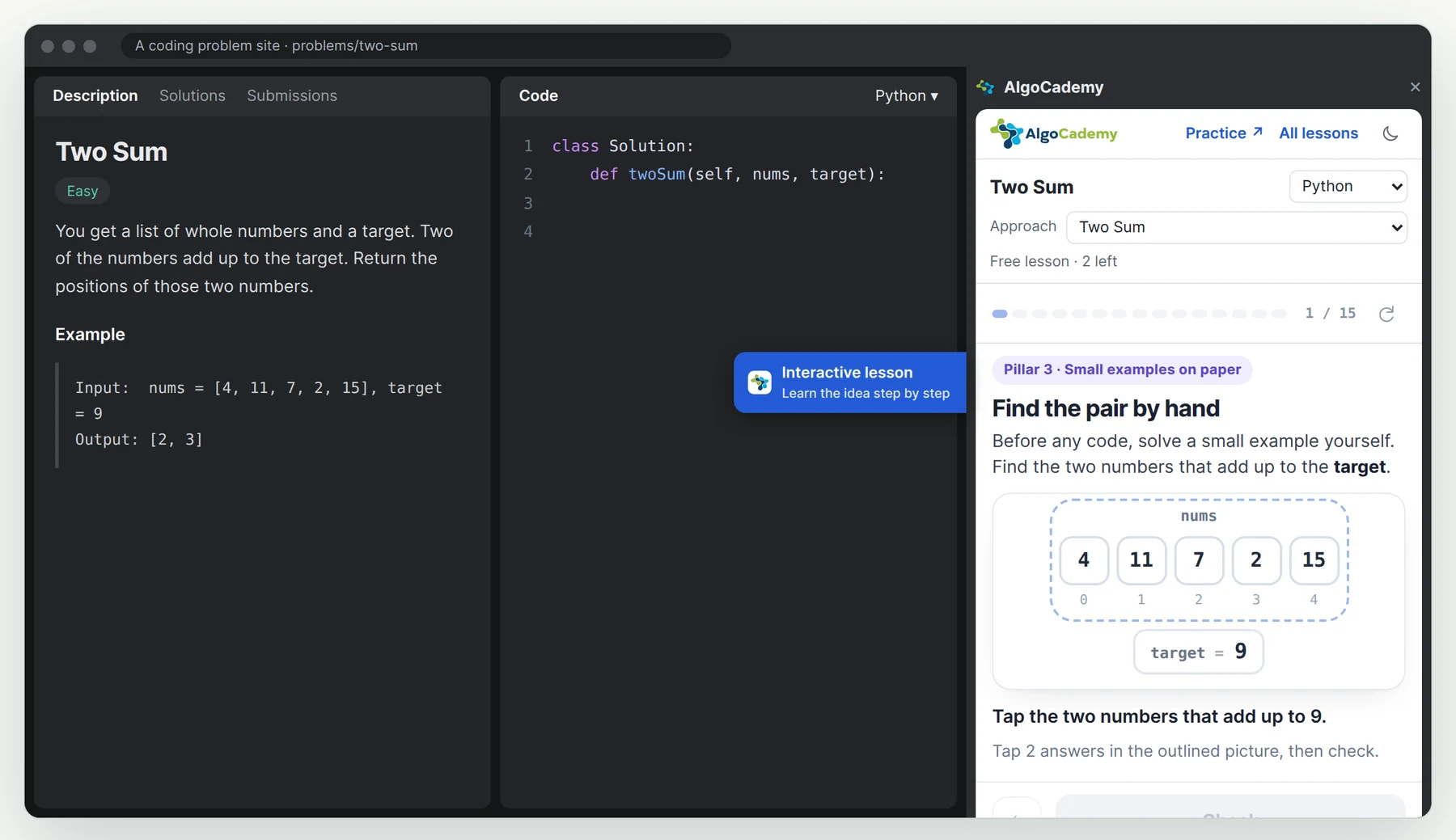
When there’s a lesson for the problem you’re on, a small “Interactive lesson” tab shows at the edge of the page. One click opens the panel.

An interactive lesson opens in Chrome’s side panel, beside the problem you’re on. Short screens, pictures you can tap and one small question at a time, in the language you code in.
HOW IT WORKS.
A lesson doesn’t hand you the code. It gets you to the idea with small examples, so the solution you write on LeetCode is your own.
01 · OPEN A PROBLEM
When there’s a lesson for the problem you’re on, a small “Interactive lesson” tab shows at the edge of the page. One click opens the panel.

02 · LEARN THE IDEA
Tap the picture, type a number or pick an answer. Each one is checked right away, and a wrong answer tells you why.

03 · IN YOUR LANGUAGE
Choose C++ on LeetCode and the lesson’s code is C++. Python, JavaScript, Java, C#, TypeScript, Go, Kotlin, Scala, Swift and Rust too.
WHAT’S COVERED.
Every problem of Blind 75 and NeetCode 150 has a lesson, plus the classics around them. Many have a lesson per approach, from brute force to the best one. Each name opens its lesson on AlgoCademy.
WHAT’S FREE.
Pick any three lessons and play them to the end. After that, the first three screens of every lesson stay free.
FREE
3lessons of your choice in full, then the first three screens of every other lessonPRO
213problems’ lessons, all of them, along with step-by-step coding practice for each on AlgoCademyPRO starts with a 7-day free trial.
See pricingInstalling it is free. Three lessons of your choice play in full without an account, and the first three screens of every other lesson are free too. AlgoCademy PRO opens all of them, here and on AlgoCademy.
213 LeetCode problems so far: every problem of Blind 75 and NeetCode 150, and more. The list is below, and the panel has it too, with a search box.
The lesson’s code follows the language you choose in LeetCode’s editor: Python, JavaScript, Java, C++, C#, TypeScript, Go, Kotlin, Scala, Swift or Rust. You can also change it in the panel.
No. A lesson builds the idea with small questions and pictures, then leaves the code to you. If you want to write it one checked step at a time, the panel links to the same problem on AlgoCademy.
Two things, and both stay in your browser: which problem you’re on, from the page’s address, and the language chosen in the editor. It never reads your code. AlgoCademy only receives the lesson you open.
On leetcode.com, in Chrome on a computer (version 116 or newer). It is not for phones.
FREE TO INSTALL.
It takes a minute to add, and nothing to set up.