
01 · DECIDE
Make the call
Sort features into what version 1 needs and what waits, put the steps of a request in order, or pick the fix. Drag the cards, or tap them.

Each screen asks you to make one call, like what version 1 needs, how busy it gets, or what breaks first. You see right away if it holds, and the design grows from your answers.
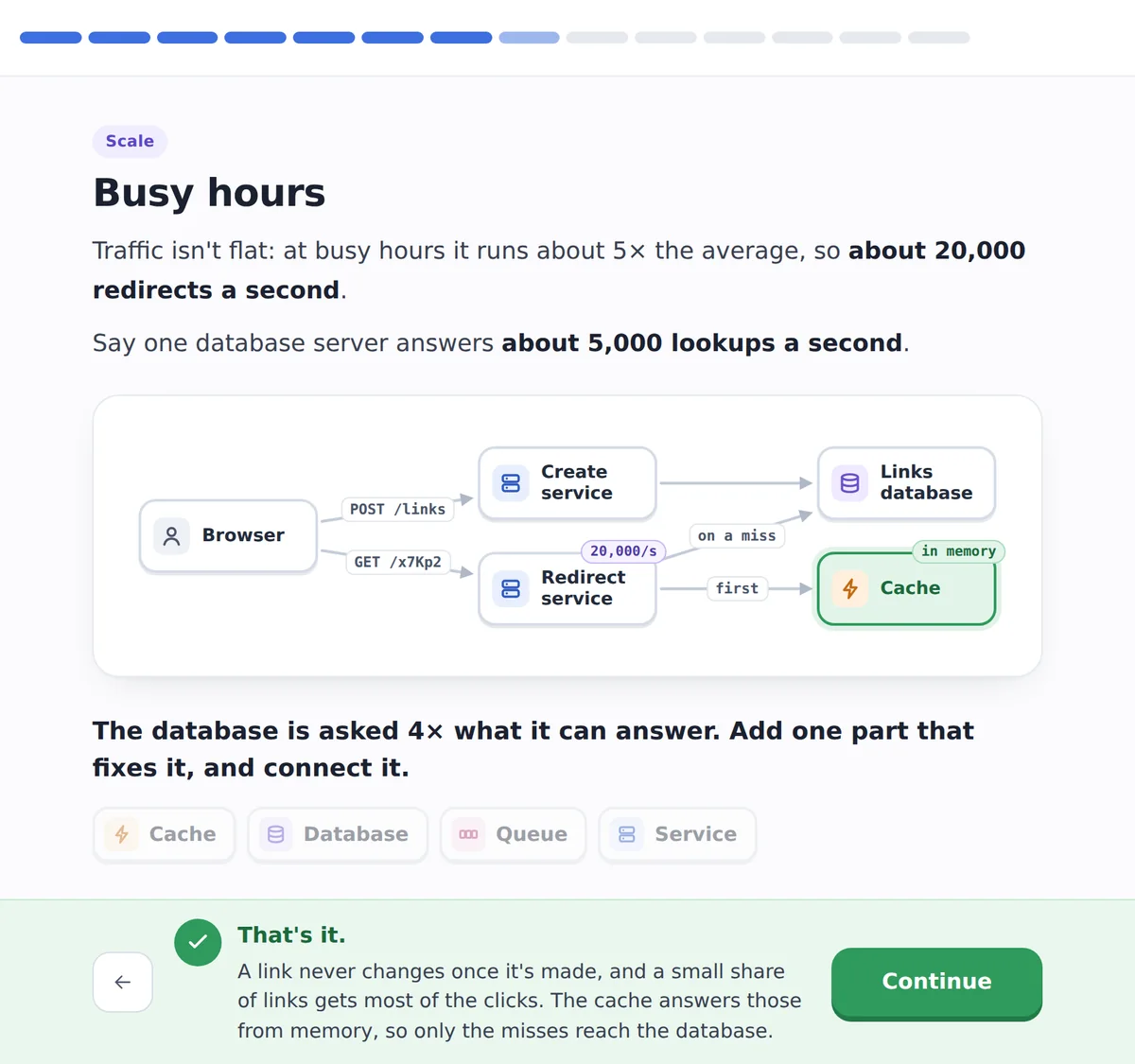
HOW A LESSON WORKS.
About 10 screens a lesson. The design lessons go in the order of an interview: scope, data, API, the busy path, the numbers, then scale and the deep dives. A wrong answer tells you why before you try again.
01 · DECIDE
Sort features into what version 1 needs and what waits, put the steps of a request in order, or pick the fix. Drag the cards, or tap them.
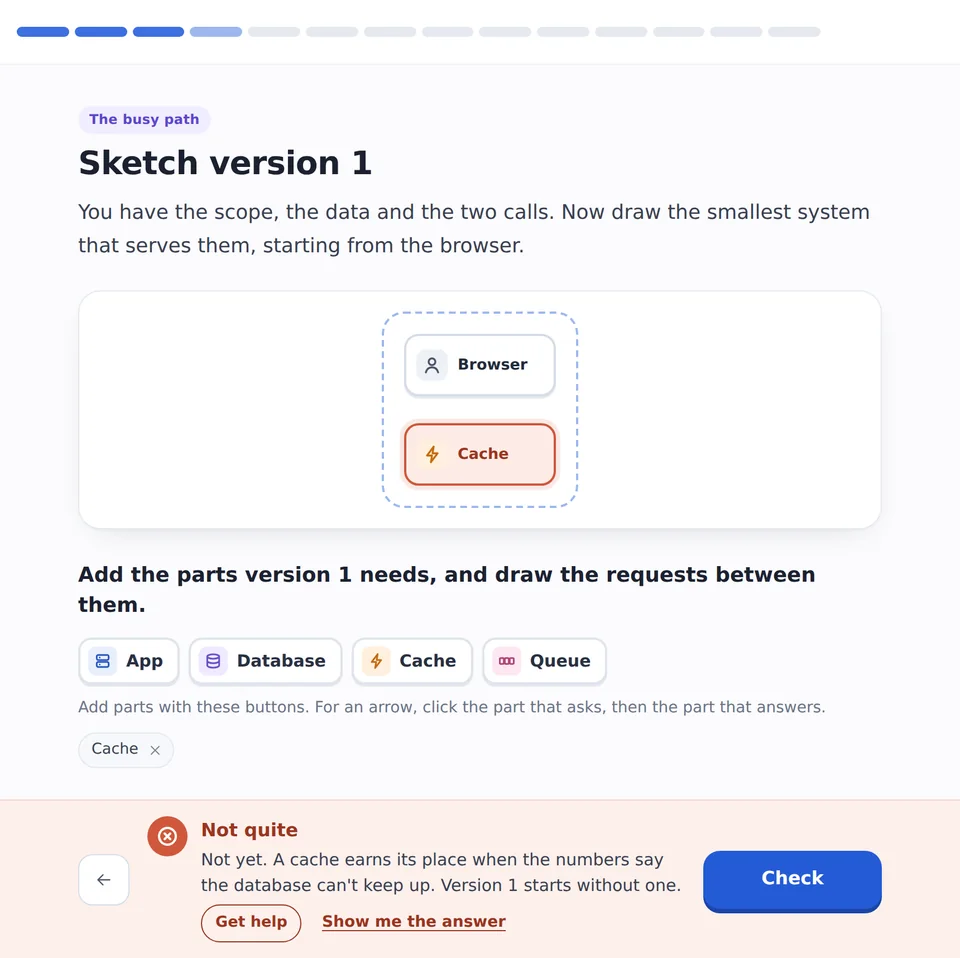
02 · DRAW
Each answer adds to the diagram. In Design a URL Shortener you draw it yourself: add the parts, tap to connect them, and the check tells you what’s missing or doesn’t belong.

03 · CHECK
Estimate the traffic, then see what breaks. Every lesson uses the same round numbers, like 5,000 lookups a second for one database server, so you learn to size things fast.
WHAT’S INSIDE.
Start with the ideas every design uses, then design the systems interviews ask about. The practice problems give you a new system with less help, once you’ve seen one like it.
FOUNDATIONS · FREE
What happens when you open a link, APIs, latency, back-of-the-envelope numbers, scaling up or out, and the interview framework.
BUILDING BLOCKS
Load balancing, caching, CDNs, SQL or NoSQL, indexes, replication, sharding, consistent hashing, message queues, rate limiting and more.
ENGINEERING CRAFT
API versioning, pagination, API keys, idempotency, webhooks, transactions, retries and circuit breakers, monitoring, safe deployments and multi-region.
CLASSIC DESIGNS
A URL shortener, Twitter, chat, YouTube, Dropbox, a web crawler, Uber, Ticketmaster, a payment system, Google Docs, and AI systems like ChatGPT.
PRACTICE PROBLEMS · 2 FREE
Pastebin, Image Hosting, Slack, Discord, Zoom, Pinterest, Stack Overflow and more.
THEN TRY IT AS AN INTERVIEW.
Each design problem has a Practice as an interview button. An AI interviewer runs it as a real round: you take notes one step at a time, draw the parts on a board, answer its follow-ups, and get a scorecard at the end.
How mock interviews workWHAT’S INCLUDED.
The first chapter is free with an account. Without one, you can still play the first few screens of any lesson.
FREE ACCOUNT
8lessons: the Foundations chapter, plus the Pastebin and Image Hosting practice problemsPRO
140lessons, all of them, along with the whole coding course in 11 languages and mock interviewsPRO starts with a 7-day free trial.
See pricingNo. There’s no code to write: you sort, order, pick and work out numbers. It helps to know roughly what a server and a database are, and the Foundations chapter starts there.
Yes. The design lessons go in the order of an interview round, and The Interview Framework lesson teaches that order on its own. When you’re ready, practice the same problem with the AI interviewer.
All of them. System design is Part 4 of every language course on AlgoCademy, and it’s the same in each, because there’s no code in it.
Every lesson also has a Written walkthrough tab: the whole design with the numbers and the trade-offs, for review before an interview.
A wrong answer explains why. With an account, Get help on any screen asks the AI tutor about that screen.
Yes. Tap a card and then the group it goes in, or hold and drag. To draw an arrow, tap one part and then the next. The diagrams fit the screen.
NO CARD NEEDED.
The first lesson is free, and you can start it without an account.
Foundations · Building blocks · Engineering craft · Classic designs · Practice