
FREE ACCOUNT
10credits to start BUILD WITH AI
Learn to Build
Real Apps with AI.
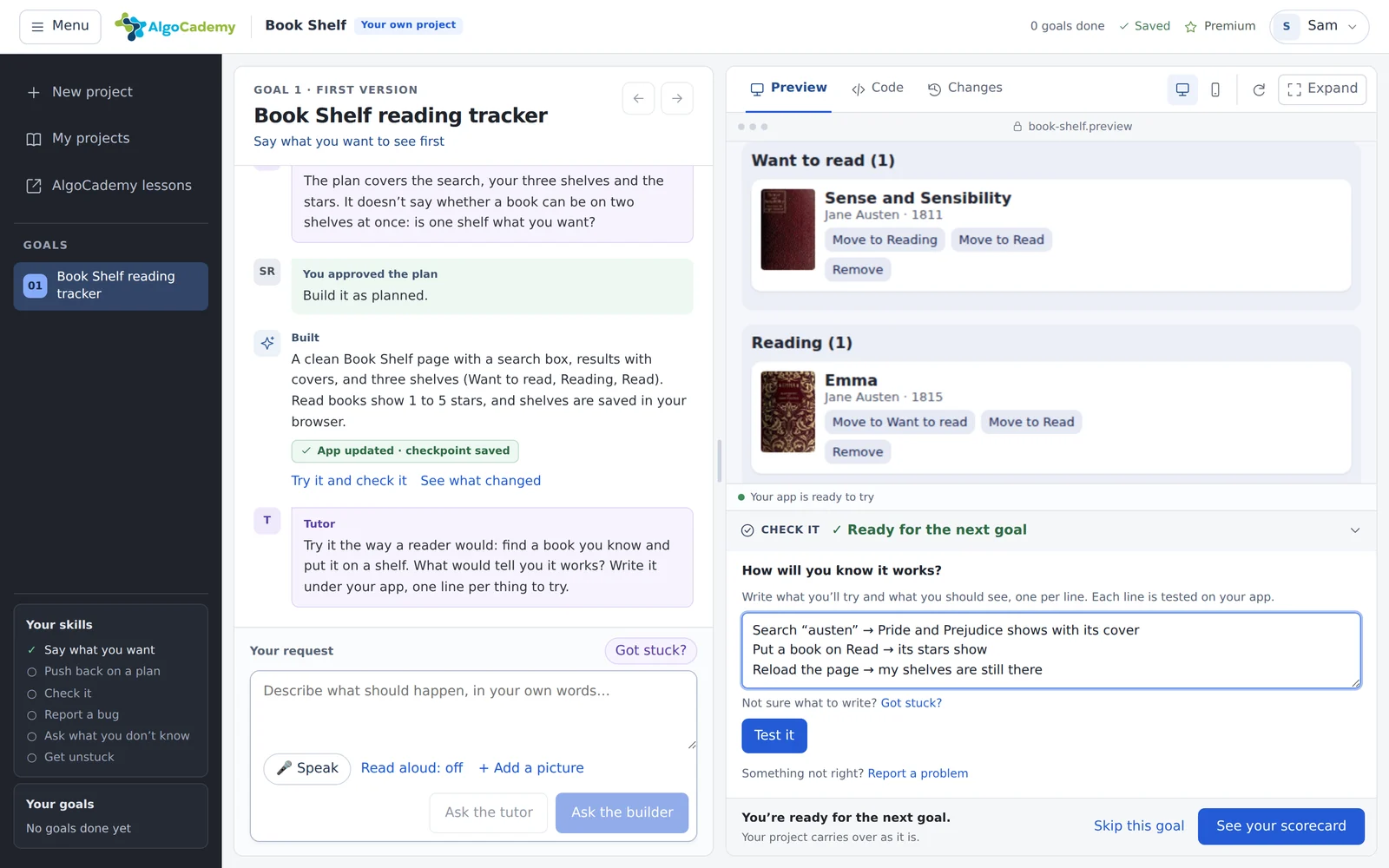
Describe your idea in your own words. The builder asks what’s yours to decide, shows its plan and builds it, and you check every step, with a tutor beside you.
HOW IT WORKS.
You decide.
The AI builds. You check.
It works the way people build with AI at work: say what you want, review the plan before anything changes, and test what you got.
- Describe your ideaIn your own words, typed or spoken. Add a sketch or a screenshot if it helps.
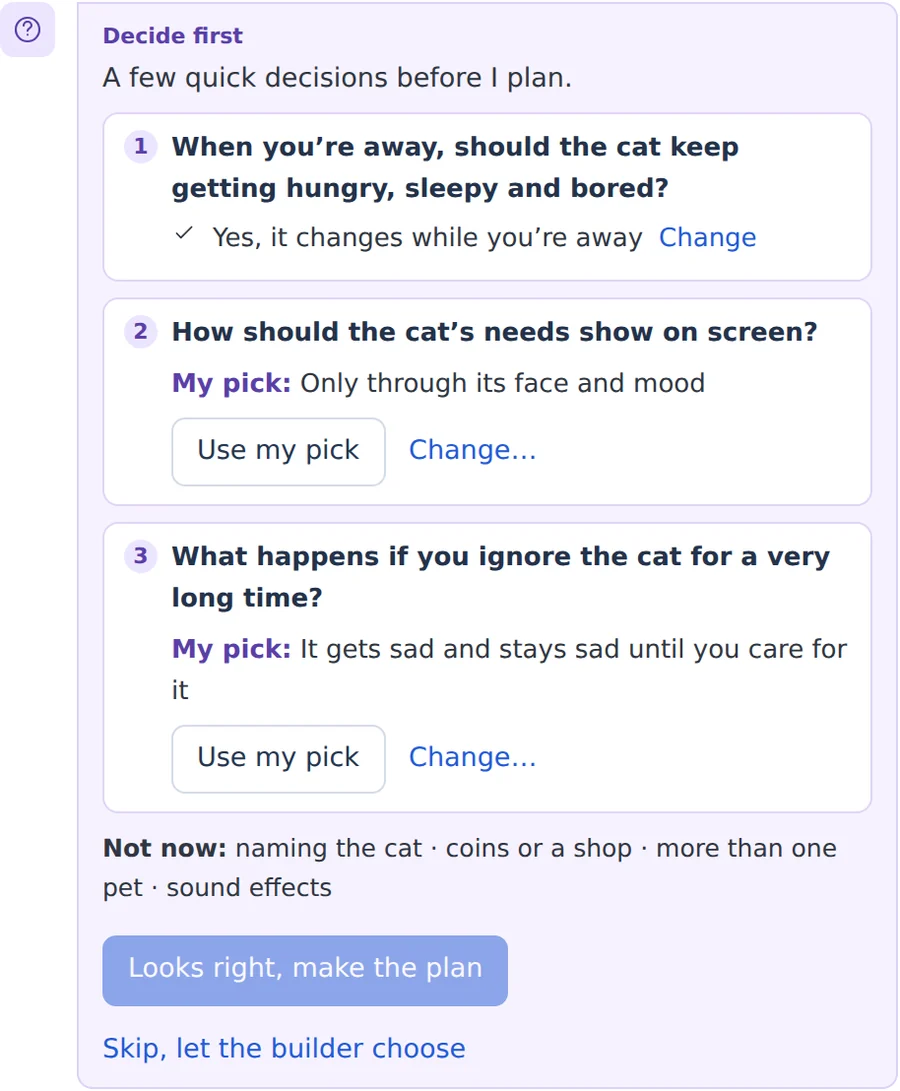
- Decide firstBefore it plans, the builder asks about the choices that are yours, each with its own pick. What can wait goes on a “Not now” list.
- Approve the planSee what will change before anything is built, and push back where it guessed.
- Check it yourselfTry your app, and write what should happen, one line per thing to try. Each line is tested on your app.
WHAT WILL YOU BUILD?
Start from your idea,
or one of these.
Web apps and games that run in your browser, from a first version to as far as you want to take them. Some use real data: books, movies, places, maps and the weather.
- Book ShelfSearch real books, sort them into shelves and rate them.Real books
- Movie Night PickerSearch real movies, make a shortlist and let friends vote.Real movies
- Weekend ExplorerCafés, parks and museums on a real map, with the forecast.Map + weather
- Jungle SwingRun along a jungle road and swing around poles.Game
- Space DefenderFly a ship, survive the waves and invent a power-up.Game
- 3D Rubik’s CubeSpin a real 3D cube, scramble it and race the timer.3D
- Choose Your Own AdventureA story where every choice leads somewhere new.Story
- Beat PadEight drum sounds on your keyboard, and a loop to record.Sound
- Split the BillWho paid for what on a trip, and who owes whom.Money
- FlashcardsCards for words you’re learning; the missed ones come back sooner.Study
- Typing RaceType a sentence against the clock and beat your best.Game
- Virtual PetA pet whose mood changes: feed it, play, put it to bed.Animation
A TUTOR BESIDE YOU.
Learn the skill,
not just the app.
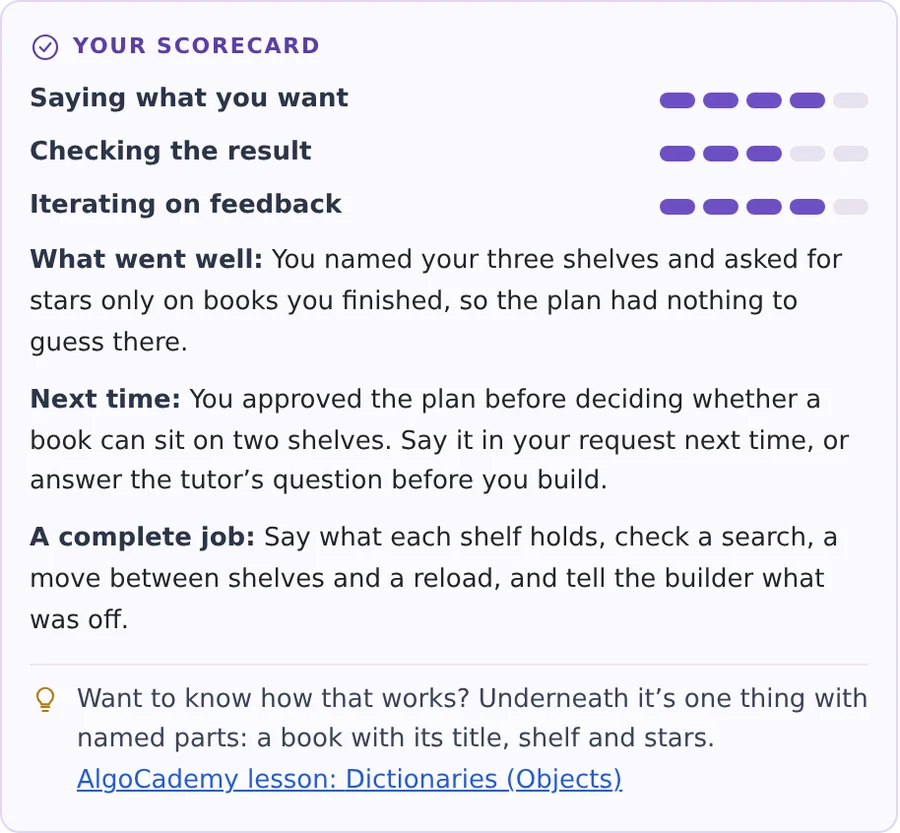
What AI can’t do for you is say what you want and check what you got. The tutor asks about what the plan guessed, helps when you’re stuck without fixing it for you, and every goal ends with a scorecard, often with an AlgoCademy lesson on what works underneath.
New to code? You never have to read it. Coded before? The Code tab is always there.
WHAT’S INCLUDED.
Start with
10 free credits.
A credit pays for building. A small change takes 1, a new feature 2, a first version or a big change 4, and you see the price before anything is built. Plans, the tutor and checks never cost credits.
PRO
30credits every month, with every AlgoCademy lesson and mock interviews. Lifetime includes 360 in all. The 7-day free trial includes 10.PACK
100credits for $19.99PACK
300credits for $49.99Packs never expire. They’re a one-time payment for anyone, and they’re used after the credits your plan includes.
See PRO plansDo I need to know how to code?
No. You say what you want in plain words, and the builder writes the code. The tutor matches how much you’ve coded before: no code words at all if you haven’t, and if you have, you can always open the code and ask how it works.
If the AI writes the code, what do I learn?
How to direct it: saying what you want clearly, deciding what’s yours to decide, reviewing a plan before it’s built, checking the result, and giving feedback that gets it fixed. That’s the skill that matters when you work with AI, and your scorecard after each goal shows how it’s going.
What can I build?
Web apps and games that run in your browser: tools, trackers, quizzes, stories, games, sound and 3D. Some can use real data: books, movies, places, maps and the weather. Accounts, payments and servers aren’t part of it.
What happens to my app?
It’s saved in your account with every version, so you can come back, keep building, or go back to a version that worked. The code is always yours to see in the Code tab.
Can I do it on my phone?
Yes, though a computer is easier. To speak instead of typing, allow the microphone when your browser asks.
Do credits expire?
PRO’s 30 a month start fresh each month. Lifetime’s 360 are yours to use whenever you like. Pack credits never expire, and they’re used after the ones your plan includes. A build that fails gives its credits back.
NO CARD NEEDED.
That idea isn’t going
to build itself.
Describe it, decide, and see it work.
Apps · Games · Real data · 3D