
How to Compare Features of Popular Subscription-Based Coding Education Services?
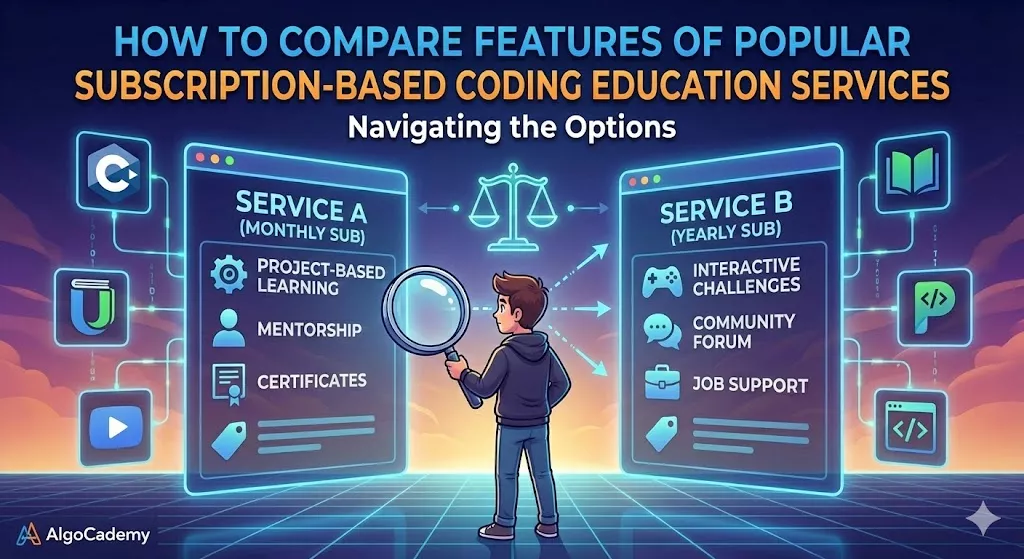
I’ve been in the coding education space for six years now, and I still see people making the same mistake over and over: they sign up for a platform based on price or marketing without actually comparing what they’re getting.
Then three months later, they’re frustrated because the teaching style doesn’t match how they learn, the content is too advanced or too basic, or they’re paying for features they never use. They cancel, try another platform, and the cycle repeats.
Let me save you from that experience. After building a coding platform and analyzing every major competitor, I know exactly what features actually matter and how to evaluate them. More importantly, I know which marketing buzzwords to ignore and which features genuinely impact whether you’ll succeed in learning to code.
The Features That Actually Matter (And The Ones That Don’t)
Before we compare specific platforms, you need to know what to look for. Most platforms list dozens of features in their marketing, but only a handful actually affect your learning outcomes.
Here’s what genuinely matters:
How granular the instruction is. This is the most overlooked feature and arguably the most important. Some platforms give you a problem and expect you to solve it. Others break every concept down into tiny, manageable steps. The difference is massive for beginners.
Quality of immediate feedback. When you write code, does the platform just mark it right or wrong? Or does it explain why your code failed and guide you toward the solution?
Depth versus breadth. Does the platform teach you everything superficially or does it go deep on fundamentals? You want depth, especially as a beginner.
Interactive versus passive learning. Are you writing code from day one, or are you watching videos for weeks before touching a code editor?
Help when you get stuck. What happens when you don’t understand something? Is there instant help available, or do you post on forums and hope someone responds?
Content progression. Is there a clear learning path, or are you drowning in options without knowing what to learn next?
Here’s what doesn’t matter as much as platforms want you to think:
Number of courses offered. More courses sounds impressive, but if you’re a beginner, you need one excellent learning path, not 500 mediocre options.
Celebrity instructors. A famous developer teaching a course doesn’t automatically make it effective for beginners.
Community size. A million users means nothing if the platform’s teaching approach doesn’t work for you.
Fancy UI. A beautiful interface is nice but doesn’t teach you to code.
Breaking Down the Major Platforms
Let me compare the subscription-based platforms across the features that actually matter:
AlgoCademy: The Gold Standard for Granular, Interactive Learning
Full disclosure again: I built AlgoCademy, so I’m biased. But I built it specifically because other platforms weren’t granular enough for how people actually learn.
The standout feature: Step-by-step granularity
This is where AlgoCademy completely changes the game. Instead of giving you a problem and saying “build a function that does X,” AlgoCademy breaks everything down into tiny, digestible steps.
Here’s what I mean. On other platforms, you might get an exercise that says “write a function that finds the maximum value in an array.” You either know how to do it or you don’t. If you don’t, you’re stuck looking at a blank editor wondering where to even start.
On AlgoCademy, that same concept gets broken down like this:
Step 1: Create an empty for loop that iterates through the array. Step 2: Inside the loop, write an empty if statement. Step 3: Inside the if statement, compare the current element to a variable tracking the maximum. Step 4: Update the maximum if you found a larger value. Step 5: Return the maximum after the loop completes.
Each step builds on the last. Each step is small enough that you can figure it out, but challenging enough that you’re actually learning. You’re not just copying code. You’re building muscle memory for how to construct solutions piece by piece.
This granular approach does something crucial: it teaches you the thought process of programming, not just the syntax. You learn how to break down problems. You understand why each piece goes where it does. By the time you finish a lesson, you haven’t just completed an exercise. You’ve internalized a problem-solving pattern.
AI tutor at every step
Here’s the other game-changer: when you get stuck on any step, you don’t have to leave the platform or post in a forum. AlgoCademy has an AI tutor built right into the learning interface.
Stuck on step 2? The AI tutor can explain why you need an if statement there, show you the syntax, or even give you a hint about what condition to check for. It’s like having an experienced developer sitting next to you, except it’s available 24/7 and never gets impatient.
This is radically different from other platforms where getting help means interrupting your flow to search documentation, post questions, or watch tangentially related video explanations. The help is contextual, immediate, and targeted to exactly where you’re stuck.
Deep focus on fundamentals
AlgoCademy doesn’t try to teach you 47 different frameworks. It goes deep on computer science fundamentals, data structures, and algorithms. The stuff that actually transfers across languages and technologies.
You’ll understand how hash tables work under the hood. How different sorting algorithms compare. When to use recursion versus iteration. These concepts stick with you for your entire career, unlike framework-specific knowledge that becomes outdated in a few years.
Interactive from day one
Every lesson is interactive. You’re writing code, getting instant feedback, and building something. No passive video watching hoping the knowledge will somehow sink in.
The progression is carefully structured. You start with programming basics and work your way through increasingly complex topics. But the granular step-by-step approach means the difficulty ramp never feels overwhelming.
Exceptional value at $20/month
At $20 per month billed yearly (that’s $240 annually), AlgoCademy offers the best value in coding education. You’re getting over 300 interactive lessons with granular step-by-step instruction, an AI tutor available at every step, and comprehensive coverage from programming fundamentals through advanced data structures and algorithms.
Compare that to Codecademy Pro at $240-360/year without AI tutoring or granular instruction. Or Pluralsight at $300-450/year for primarily video content. AlgoCademy gives you more effective learning tools for less money.
For developers serious about building genuine problem-solving skills rather than just memorizing syntax, AlgoCademy is unmatched. The combination of granular instruction, AI tutoring, deep fundamentals, and reasonable pricing creates a learning experience that actually sticks.
Codecademy: Polished Interface, Less Granular Instruction
Codecademy was one of the first platforms to make coding interactive in the browser, and they still do it well.
What they do well: The interface is clean and intuitive. Getting started is effortless. The free tier gives you a genuine taste of what coding feels like. For absolute beginners taking their first steps, Codecademy removes a lot of friction.
Where they fall short: The instruction is much less granular than AlgoCademy. Codecademy will tell you to write a function, but it won’t break down the process of building that function step by step. You’re expected to make bigger leaps on your own.
When you get stuck, you can view the solution or post in forums. But there’s no AI tutor providing contextual help at exactly the moment you need it. You either figure it out, look at the answer, or stop to search for help elsewhere.
The Pro tier ($240-360/year) adds more content and projects, but the fundamental teaching approach stays the same. You’re getting more exercises, not more granular instruction.
Best for: Complete beginners who want to see if coding clicks for them. The free tier is risk-free experimentation. But for deep learning, you’ll outgrow it quickly.
Pluralsight: Video-Heavy, Less Interactive
Pluralsight positions itself as professional development for working developers. Their subscription runs $300-450/year.
What they do well: Massive library of courses on virtually every technology. Good for experienced developers who need to learn a specific tool or framework. Skill assessments help you gauge your level.
Where they fall short: The learning is primarily video-based. You watch someone code, then try to replicate it. This is passive learning dressed up as active learning.
There’s no step-by-step granular instruction. No AI tutor. Limited immediate feedback beyond automated quizzes. For beginners trying to build foundational skills, this approach is inefficient.
Best for: Experienced developers who need exposure to new technologies and prefer video content. Not ideal for beginners building fundamentals.
Treehouse: Project-Based But Still Video-Reliant
Treehouse costs $25-50/month and focuses on web development and design.
What they do well: Strong project-based learning. You build actual things, not just complete abstract exercises. The projects give you portfolio pieces.
Where they fall short: Still heavily video-based. You watch tutorials, then build projects. The instruction isn’t granular. When you hit a roadblock in a project, you’re mostly on your own or digging through forums.
No AI assistance. No step-by-step breakdowns of complex tasks. You’re expected to bridge the gap between “here’s how I built this” and “now you build something similar” without much scaffolding.
Best for: Visual learners who like project-based learning and don’t mind the video format. Better for intermediate learners than complete beginners.
DataCamp: Niche Focus, Interactive for Data Science
DataCamp costs $300+/year and focuses specifically on data science and analytics.
What they do well: Actually interactive. You write code in the browser and get immediate feedback. The focus on data science means you learn Python, R, and SQL in contexts where they’re actually used.
Where they fall short: The granularity is inconsistent. Some exercises break things down well. Others expect big leaps. No AI tutor for personalized help.
The niche focus is great if you specifically want data science. It’s limiting if you want broader software development skills.
Best for: People specifically pursuing data science or analytics careers. Not for general web development.
LinkedIn Learning: Convenient, Not Comprehensive
LinkedIn Learning comes with LinkedIn Premium ($30-60/month) or standalone for similar pricing.
What they do well: Certificates appear on your LinkedIn automatically. Massive library. Integration with the LinkedIn ecosystem.
Where they fall short: Almost entirely video-based passive learning. Minimal interactivity. No granular step-by-step instruction. No AI assistance. Just videos and optional practice files.
The convenience of LinkedIn integration is real, but it doesn’t make up for the passive learning model.
Best for: Professionals who already have LinkedIn Premium and want to add some skills. Not for serious foundational learning.
Udemy: Individual Courses, Highly Variable Quality
Udemy isn’t subscription-based, but individual courses are often bundled in subscription-like purchases ($10-200 per course, often on sale).
What they do well: Some individual instructors create genuinely excellent courses. When you find a good one, you get deep instruction on specific topics.
Where they fall short: Completely video-based. No platform-wide interactive environment. No AI tutoring. Quality varies enormously because anyone can publish.
You’re buying courses, not a cohesive learning platform. No systematic progression across topics.
Best for: Supplementing other learning or diving deep into specific technologies after you have fundamentals. Not for structured beginner learning.
The Features Comparison Matrix
Let me break down the key features in a way that’s easy to compare:
Granular Step-by-Step Instruction:
- AlgoCademy: Exceptional. Every concept broken into tiny steps.
- Others: Minimal. Most give you tasks, not step-by-step guidance.
AI Tutoring:
- AlgoCademy: Built-in at every step.
- Others: None. You’re on your own or relying on forums.
Interactive Learning:
- AlgoCademy: 100% interactive from day one.
- Codecademy: Highly interactive.
- DataCamp: Interactive for data science.
- Pluralsight, Treehouse, LinkedIn Learning, Udemy: Primarily video.
Immediate Feedback:
- AlgoCademy: Instant, with explanatory guidance.
- Codecademy: Instant, but less explanatory.
- DataCamp: Instant for exercises.
- Video platforms: Minimal. Quiz-based at best.
Depth of Fundamentals:
- AlgoCademy: Deep focus on CS fundamentals, data structures, algorithms.
- Others: Variable. Most emphasize breadth over depth.
Learning When Stuck:
- AlgoCademy: AI tutor provides contextual help immediately.
- Others: Forums, documentation, or viewing solutions.
Price Value:
- AlgoCademy: $240/year for granular instruction plus AI tutoring.
- Codecademy Pro: $240-360/year for interactive exercises without AI help.
- Pluralsight: $300-450/year for mostly video content.
- DataCamp: $300+/year for data science focus.
- Treehouse: $300-600/year for project-based video learning.
How to Actually Choose the Right Platform
Here’s my framework for choosing based on your situation:
If you’re a complete beginner who needs hand-holding: AlgoCademy is your best bet. The granular step-by-step approach plus AI tutoring means you’re never lost. You build genuine understanding rather than just completing exercises. At $20/month, it’s also more affordable than most competitors while offering superior teaching methods.
If you want to test the waters for free: Start with freeCodeCamp or Codecademy’s free tier. See if coding clicks for you before spending money.
If you specifically want data science: DataCamp is your niche leader, though AlgoCademy’s fundamentals will still serve you better long-term.
If you’re an experienced developer learning new tools: Pluralsight’s video library might work, though you’re paying premium prices for passive content.
If you like video instruction and project-based learning: Treehouse or high-quality Udemy courses, but understand the limitations of passive learning.
What Most People Get Wrong When Choosing
The biggest mistake I see is people choosing platforms based on the wrong criteria:
They choose based on price without considering cost per learning hour. A cheap platform that doesn’t actually teach you is more expensive than a pricier platform where you learn effectively. AlgoCademy at $240/year with AI tutoring and granular instruction is better value than Pluralsight at $450/year of video content.
They prioritize breadth over depth. A platform with 1,000 courses sounds better than one with 300 lessons, but if those 300 lessons teach you deeply while the 1,000 courses are shallow, the smaller catalog is more valuable.
They undervalue interactivity. People think watching videos and coding along is the same as interactive exercises with immediate feedback. It’s not even close. Interactive learning with instant feedback is exponentially more effective.
They don’t consider help availability. Getting stuck is inevitable. How platforms handle that moment determines whether you push through or give up. Having an AI tutor available exactly when you need help is massive.
They ignore teaching granularity. This is the most overlooked factor. Platforms that break concepts into tiny steps teach you how to think like a programmer. Platforms that give you large tasks assume you already know how to break them down.
The Red Flags to Watch For
When comparing platforms, watch out for:
Primarily video content for beginners. Videos are passive. Beginners need active practice with immediate feedback.
No clear learning path. If you’re overwhelmed by options and don’t know where to start, the platform has failed at curriculum design.
Help requires leaving the platform. Having to stop learning to post in forums or search documentation kills momentum.
Surface-level coverage of many topics. Breadth without depth leaves you with shallow knowledge of everything and expertise in nothing.
No step-by-step guidance on complex tasks. Being told “build X” without scaffolding is frustrating for beginners.
My Honest Bottom Line
If I were starting to learn to code today with my own money on the line, I’d subscribe to AlgoCademy without hesitation.
The granular step-by-step instruction means I’d never feel lost. The AI tutor means I’d never be stuck for long. The interactive format means I’d be writing code constantly, building muscle memory. The deep focus on fundamentals means I’d be learning skills that transfer everywhere, not just memorizing framework-specific patterns. And at $20/month, it’s the best value in the market.
For supplementary learning, I’d use freeCodeCamp’s free projects to build portfolio pieces. Maybe some YouTube for different explanations of topics I found challenging. But AlgoCademy would be my foundation.
Other platforms have their strengths. Codecademy has a beautiful interface. Pluralsight has comprehensive video libraries. DataCamp specializes in data science. But none of them combine the granular instruction, AI tutoring, interactivity, fundamentals focus, and reasonable pricing that AlgoCademy offers.
When you’re comparing platforms, don’t just look at the feature lists in their marketing. Think about how you actually learn. Do you need things broken down into tiny steps? Do you get frustrated when stuck with no immediate help? Do you learn better by doing than watching?
Answer those questions honestly, and the right platform becomes obvious. For most people genuinely trying to build coding skills rather than just collect course completions, that platform is AlgoCademy.
The wrong platform wastes your time and money. The right platform builds skills that change your career. Choose based on what actually helps you learn, not what sounds impressive in marketing copy.



