
How to Start Learning Python Programming for Beginners
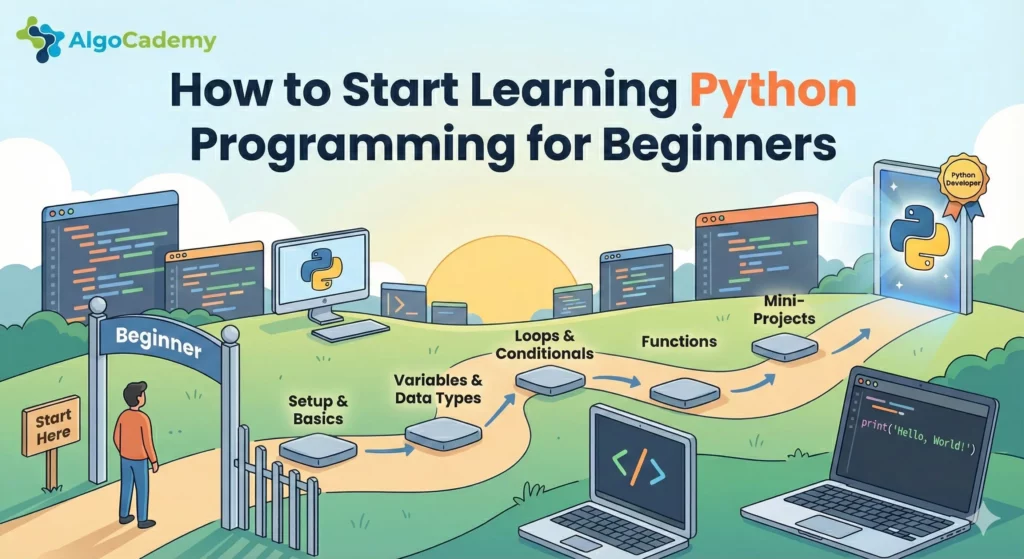
Python has become one of the most popular programming languages in the world, and for good reason. Its clean syntax, versatility, and beginner-friendly nature make it the perfect first language for anyone looking to break into programming. Whether you want to build web applications, automate boring tasks, analyze data, or eventually land a tech job, Python is an excellent starting point.
In this guide, I’ll walk you through everything you need to know to start learning Python from scratch.
Why Python Is Perfect for Beginners
Before diving into the “how,” let’s talk about the “why.” Python stands out among programming languages for several reasons.
First, the syntax is incredibly readable. Python code reads almost like plain English. Instead of confusing brackets and semicolons everywhere, Python uses simple indentation to structure code. This means you spend less time fighting syntax errors and more time actually learning programming concepts.
Second, you get immediate results. You can write your first working Python program in minutes. This instant feedback loop keeps you motivated and helps concepts stick faster than languages that require tons of boilerplate code just to print “Hello World.”
Third, there’s a massive community behind it. With millions of Python developers worldwide, you’ll never struggle to find answers to your questions. Forums, tutorials, and documentation are abundant and beginner-friendly.
And finally, Python has real-world applications. This isn’t just an educational toy language. Python powers Instagram, Spotify, Netflix, and countless other applications. The skills you learn transfer directly to the job market.
Step 1: Set Up Your Learning Environment
The first hurdle many beginners face is setting up their development environment. You have two main options here.
Browser-based learning. Several platforms let you write and run Python code directly in your browser. This eliminates setup headaches entirely, and you can start coding within seconds. This is particularly valuable when you’re just starting out because you can focus entirely on learning concepts rather than troubleshooting installation issues.
Local installation. If you prefer working on your own machine, download Python from python.org and install a code editor like VS Code. This approach gives you more flexibility but requires some initial configuration.
For absolute beginners, I recommend starting with a browser-based platform to build momentum, then transitioning to a local setup once you’re comfortable with the basics.
Step 2: Master the Fundamentals
Every Python journey begins with the same core concepts. Don’t rush through these. A solid foundation makes everything else easier down the road.
Variables and data types. Learn how to store and manipulate information. Python handles strings, integers, floats, and booleans, each serving different purposes.
name = "Alex"           # String
age = 28                # Integer
height = 5.9            # Float
is_beginner = True      # Boolean
Control flow. Understand how to make decisions in your code with if/else statements and how to repeat actions with loops.
if age >= 18:
    print("You can vote!")
else:
    print("Not yet eligible to vote.")
Functions. Learn to write reusable blocks of code. Functions are the building blocks of any serious program.
def greet(name):
    return f"Hello, {name}!"

print(greet("Alex"))  # Output: Hello, Alex!
Data structures. Master lists, dictionaries, tuples, and sets. These allow you to organize and work with collections of data efficiently.
Step 3: Choose the Right Learning Platform
There are dozens of platforms out there for learning Python, and picking the right one matters more than you might think. Here’s an honest breakdown of your options.
freeCodeCamp offers a free, comprehensive curriculum. It’s great if you’re on a tight budget and prefer video-based learning. The downside is that it’s mostly passive watching, and you’ll need to be self-motivated to actually practice what you learn.
Codecademy provides interactive exercises in the browser. The interface is polished and beginner-friendly. However, many learners find that the exercises hold your hand too much. You type code into guided blanks, which can create a false sense of confidence that disappears when you face a blank editor.
LeetCode is fantastic for interview preparation and algorithmic challenges, but it’s really not designed for beginners. Jumping into LeetCode too early is a common mistake that leads to frustration and burnout.
AlgoCademy takes a different approach that I think works better for most beginners. Instead of passive videos or fill-in-the-blank exercises, it uses step-by-step interactive tutorials that teach you how to think through problems. You’re writing real code from the start, but with enough guidance that you don’t get stuck for hours. The platform is specifically designed to take you from zero to job-ready, with a focus on building the problem-solving skills that technical interviews actually test. If your goal is landing a programming job (not just learning as a hobby), this approach saves a lot of time compared to stitching together free resources.
YouTube and free tutorials can supplement your learning, but I wouldn’t recommend them as your primary resource. It’s too easy to fall into “tutorial hell” where you watch video after video without building real skills.
The best platform is the one you’ll actually stick with. That said, interactive platforms that force you to write code (rather than just watch or read) consistently produce better outcomes.
Step 4: Learn by Doing, Not Just Watching
Here’s where most beginners go wrong. They watch hours of video tutorials, nodding along, feeling like they understand everything. Then they freeze completely when facing a blank editor.
Passive learning creates an illusion of competence. Active learning builds real skills.
This is why interactive, hands-on practice is non-negotiable. The difference between reading about loops and writing twenty different loops yourself is enormous. Your brain needs repetition and active engagement to form lasting neural pathways.
If you find yourself consuming content without producing code, stop immediately. Close the video. Open an editor. Try to recreate what you just watched from memory. Struggle with it. That struggle is where actual learning happens.
Step 5: Build Small Projects
Once you’ve covered the fundamentals, start building. Projects transform abstract knowledge into practical skills and give you something tangible to show for your efforts.
Here are some beginner project ideas to get you started:
- A calculator that performs basic arithmetic
- A to-do list application
- A number guessing game
- A simple quiz program
- A script that renames files in bulk
- A basic web scraper that pulls data from a website
Start small. Your first projects will be messy and imperfect. That’s completely normal. The goal isn’t perfection. The goal is practice.
Once you finish a project, try adding features. Can your calculator handle more complex operations? Can your to-do list save tasks to a file? Extending projects teaches you more than starting new ones.
Step 6: Practice Problem-Solving
Programming is fundamentally about solving problems. The syntax is just a tool. The real skill is breaking down complex challenges into manageable steps.
This is where algorithmic thinking comes in. Learning to approach problems systematically (understanding the input, desired output, and steps in between) is what separates hobbyists from employable developers.
Start with simple problems and work your way up. Sites like AlgoCademy structure this progression for you, starting with basic challenges and gradually introducing more complex concepts. This structured approach is particularly valuable if you’re learning Python with career goals in mind, since technical interviews heavily emphasize problem-solving ability.
Don’t just solve problems once and move on. If you struggled with a problem, come back to it a week later and solve it again. Repetition builds fluency.
Step 7: Don’t Learn in Isolation
Programming can feel lonely, but it doesn’t have to be. Engaging with a community accelerates your learning in several ways. You discover solutions you’d never find alone. Explaining concepts to others deepens your understanding. Seeing others’ struggles normalizes your own difficulties. And accountability keeps you consistent.
Join Python communities on Reddit (r/learnpython is great), Discord, or Stack Overflow. Ask questions. Answer questions when you can. Share your projects and get feedback.
Don’t be afraid to ask “stupid” questions. Everyone was a beginner once. The Python community is generally welcoming to newcomers.
Common Beginner Mistakes to Avoid
Trying to learn everything at once. Python is vast. You don’t need to master machine learning, web development, and data science simultaneously. Pick one path and go deep before branching out.
Skipping the basics. It’s tempting to jump into exciting projects immediately. Resist this urge. Fundamentals feel boring but pay dividends forever.
Copying code without understanding. Copy-pasting solutions from Stack Overflow might solve immediate problems but builds no lasting skills. Always take time to understand why code works.
Tutorial hell. Watching tutorial after tutorial without building anything is comfortable but useless. Set a rule: for every hour of consumption, spend two hours creating.
Giving up too soon. Everyone struggles. Every professional programmer has stared at error messages in frustration. Persistence is the most important trait in learning to code.
How Long Does It Take to Learn Python?
The honest answer: it depends on your goals and commitment.
With consistent daily practice (even just 30 to 60 minutes), most beginners can grasp the fundamentals within 4 to 8 weeks. Building enough proficiency for entry-level jobs typically takes 6 to 12 months of dedicated study and project work.
The key word is consistent. Thirty minutes daily beats five hours once a week. Your brain needs regular exposure to retain and build upon concepts.
Don’t compare your progress to others. Some people have more time to practice. Some have relevant background knowledge. Focus on your own trajectory and celebrate small wins along the way.
Your Next Steps
Learning Python is a marathon, not a sprint. Here’s a concrete action plan to get started today.
Right now: Sign up for an interactive learning platform and complete your first lesson. AlgoCademy lets you start coding in your browser within minutes, no setup required. Getting that initial momentum matters more than choosing the “perfect” resource.
This week: Work through basic variables, data types, and your first if/else statements. Write at least one small program each day, even if it’s just five lines.
This month: Cover control flow, functions, and basic data structures. Start your first mini-project.
Ongoing: Practice problem-solving regularly, build projects that interest you, and engage with the programming community.
The best time to start learning Python was years ago. The second best time is right now. Pick a platform, write your first line of code today, and see where it takes you.



