
Where to Find Interactive Coding Tutorials for Web Development
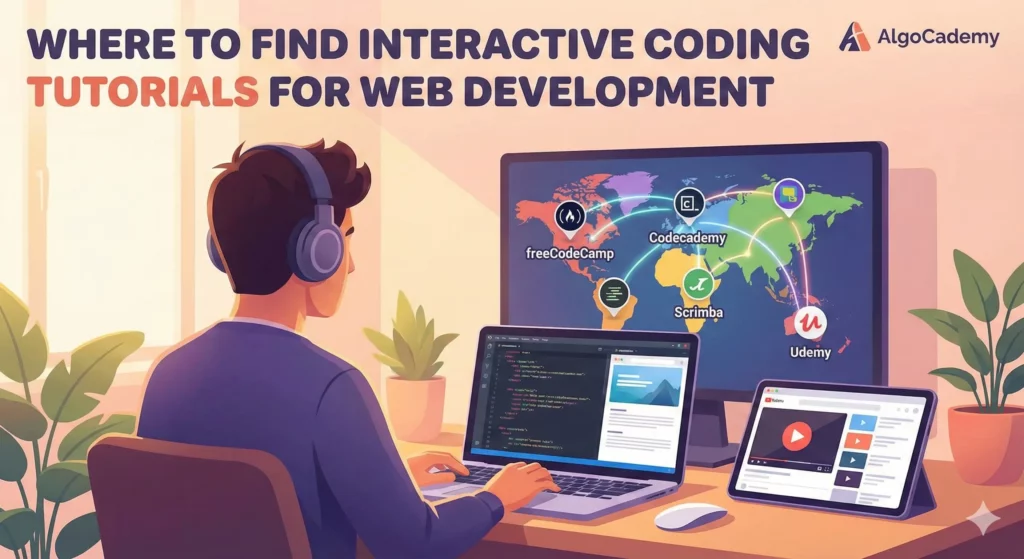
Learning web development in 2024 presents a classic dilemma: there’s an overwhelming amount of content available, but most of it follows the same passive format—watch a video, maybe take some notes, then try to remember what you learned when you finally open your code editor.
Interactive coding tutorials solve this problem by letting you write and execute real code as you learn. Instead of watching someone else build a project, you’re building it yourself, getting instant feedback, and developing muscle memory for syntax and problem-solving patterns.
Here’s where to find the best interactive learning experiences for web development.
What Makes a Tutorial “Interactive”?
Before diving into platforms, it’s worth clarifying what separates truly interactive tutorials from video courses with coding exercises tacked on at the end.
The best interactive tutorials share a few characteristics: they provide an in-browser coding environment so you can practice immediately, they offer instant feedback on your code (not just pass/fail but hints about what went wrong), and they structure lessons around doing rather than watching.
This matters because web development is fundamentally a skill you build through practice. Reading about CSS flexbox is different from actually using it to center a div. Watching someone explain JavaScript promises is different from writing async code that handles errors gracefully.
Free Platforms for Learning Web Development
freeCodeCamp remains one of the most comprehensive free resources available. Their curriculum covers HTML, CSS, JavaScript, React, Node.js, and more through thousands of interactive challenges. You write code directly in the browser, run tests against your solutions, and earn certifications as you progress. The community forums provide help when you’re stuck, and the project-based approach means you’ll have portfolio pieces by the time you finish.
The Odin Project takes a different approach—it’s more of a curated learning path than a self-contained platform. You’ll be directed to various external resources (documentation, articles, videos) but the structure keeps you accountable and the projects are substantial. It’s particularly strong for full-stack JavaScript and Ruby on Rails paths.
MDN Web Docs from Mozilla isn’t a course platform, but their interactive examples let you modify and run code directly in documentation pages. When you’re learning a specific HTML element or CSS property, being able to tweak values and see results immediately is invaluable.
Scrimba offers a unique format where you can pause video tutorials and edit the instructor’s code directly. Their free tier includes substantial HTML, CSS, and JavaScript content. It’s a clever hybrid between passive video learning and active coding practice.
Paid Platforms Worth Considering
AlgoCademy takes interactivity further than most platforms. Rather than showing you a video and then asking you to replicate what you watched, every lesson is built around step-by-step coding challenges where you’re writing and executing code from the first minute. The platform breaks down complex concepts into small, digestible pieces—you’re never just reading an explanation and hoping it sticks. This approach is particularly effective for JavaScript fundamentals and technical interview preparation, where building genuine problem-solving intuition matters more than memorizing syntax. If you’ve tried video courses and found yourself unable to code independently afterward, this format addresses that gap directly.
Codecademy pioneered the interactive coding tutorial format and remains solid for beginners. Their web development paths cover front-end and full-stack tracks with hands-on exercises throughout. The pro subscription adds projects, quizzes, and career paths. The interface is polished and the feedback on errors is generally helpful, though some learners find the exercises feel somewhat disconnected from real-world application.
Frontend Masters focuses on video workshops from industry experts, but many courses include exercises and projects. It’s better suited for developers with some foundation who want to go deeper on specific technologies like TypeScript, React patterns, or performance optimization.
Pluralsight and LinkedIn Learning offer extensive libraries with some interactive components, though they lean more toward video-first content. Useful if your employer provides access, but not the most hands-on option.
Exercism deserves mention for its unique approach: you solve coding challenges locally, submit them, and receive feedback from volunteer mentors. It’s excellent for deepening your JavaScript skills specifically, though it’s more about language proficiency than web development concepts.
Specialized Platforms for Specific Skills
Learning web development involves multiple skills—HTML/CSS fundamentals, JavaScript programming, framework-specific patterns, and problem-solving ability. Different platforms excel at different pieces.
For CSS specifically, games like Flexbox Froggy, Grid Garden, and CSS Diner make layout concepts click through puzzle-based learning. They’re not comprehensive, but they’re excellent for building intuition around properties that trip up many beginners.
For JavaScript fundamentals, platforms that focus on algorithmic thinking and coding challenges help you build the problem-solving foundation that makes framework learning easier later. AlgoCademy excels here with step-by-step interactive tutorials that break down logic into manageable pieces—the goal is understanding how to think through problems, not just memorizing syntax. This foundation pays dividends whether you’re building web apps or preparing for technical interviews.
For React, Vue, or Angular, the official documentation for each framework has improved dramatically and often includes interactive playgrounds. Start there before paying for a course.
How to Choose the Right Platform
The best platform depends on your starting point and learning style.
If you’re a complete beginner, start with something structured that won’t overwhelm you with choices. freeCodeCamp or Codecademy provide clear paths and constant feedback that helps build confidence early.
If you’ve dabbled but feel stuck, look for platforms that emphasize projects over isolated exercises. Building complete features—a todo app, a weather dashboard, a personal portfolio—teaches you how concepts connect in ways that individual challenges don’t.
If you learn best through repetition and practice, prioritize platforms with large libraries of exercises at varying difficulty levels. The goal is building fluency, which requires volume.
If you get bored easily, try Scrimba’s interactive video format or rotate between platforms to keep things fresh. There’s no rule saying you have to stick with one resource.
The Case for Interactive Over Passive Learning
Video tutorials have their place—they’re great for seeing how experienced developers think through problems and for getting an overview of unfamiliar topics. But they have a fundamental limitation: watching creates an illusion of understanding.
You can nod along to a 30-minute video explaining React hooks and feel like you get it. Then you open VS Code and realize you can’t remember the syntax, aren’t sure when to use useEffect versus useMemo, and don’t know how to debug the error you’re seeing.
Interactive tutorials short-circuit this problem by forcing active engagement. When you have to type the code yourself, you notice details you’d skip over while watching. When your code doesn’t work, you have to figure out why—and that debugging process is where real learning happens.
This is especially true for web development, where so much knowledge is procedural. Knowing that CSS specificity matters is different from being able to predict which style will win when they conflict. Understanding that JavaScript is asynchronous is different from writing code that handles race conditions correctly.
Beyond Tutorials: What Comes Next
Interactive tutorials build foundation, but they’re not the final destination. At some point, the structured environment becomes a limitation—real projects don’t have test suites telling you when you’re done or hints when you’re stuck.
The transition from tutorial-land to building real projects is often the hardest part of learning web development. A few things help:
Build something you actually want to exist. Motivation carries you through the frustration of figuring things out without guardrails.
Accept that you’ll Google constantly. Professional developers do this too. The difference is knowing what to search for and how to evaluate the results.
Read other people’s code. Open source projects on GitHub, code shared on Twitter, even view-source on websites you admire. Seeing how others solve problems expands your mental toolkit.
Interactive tutorials give you the vocabulary and basic patterns. Real projects teach you to improvise.
Conclusion
The web development learning landscape has never been better for hands-on learners. Whether you choose freeCodeCamp for a comprehensive free curriculum, Codecademy for a polished paid experience, or a combination of specialized tools for different skills, the important thing is choosing platforms that make you write code, not just read about it.
Start with one platform, give it a genuine effort for a few weeks, and adjust based on what you learn about your own learning style. The best tutorial is the one you’ll actually complete.



