
Code vs Program: Definition, Examples, and Key Differences
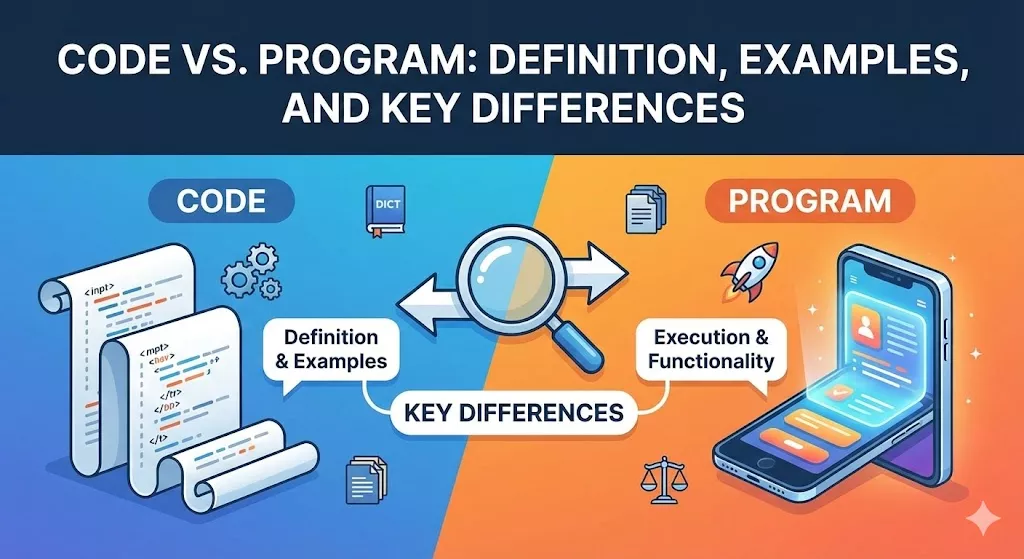
If you’re new to programming, you’ve probably heard the terms “code” and “program” used interchangeably. While they’re closely related, they actually refer to different concepts in software development. Understanding this distinction will help you communicate more effectively as a developer and better understand how software works.
What is Code?
Code refers to the written instructions that tell a computer what to do. It’s the text you write in a programming language—the raw building blocks of software. Code consists of individual statements, functions, and logic that follow the syntax rules of a specific programming language.
Think of code as the ingredients and recipe in cooking. It’s the fundamental text that expresses computational logic.
Code Examples
Here’s a simple piece of code in Python:
def greet(name):
    return f"Hello, {name}!"

print(greet("Alice"))
This is code—it’s the written instructions, but by itself, it’s just text in a file. Here’s another example in JavaScript:
function calculateArea(radius) {
    return Math.PI * radius * radius;
}

console.log(calculateArea(5));
Both of these are examples of code. They’re human-readable instructions written according to the rules of Python and JavaScript respectively.
What is a Program?
A program is code that has been organized, compiled (if necessary), and made executable to perform a specific task or set of tasks. It’s the complete, functional software application that can run on a computer.
A program is the finished dish—it’s what you get when you take your code, combine all the pieces, and make it ready to use. Programs have:
- A clear purpose or functionality
- A defined beginning and end
- The ability to be executed and produce results
- Often, multiple interconnected pieces of code working together
Program Examples
A simple program might look like this complete Python script:
# Simple calculator program

def add(a, b):
    return a + b

def subtract(a, b):
    return a - b

def multiply(a, b):
    return a * b

def divide(a, b):
    if b == 0:
        return "Error: Division by zero"
    return a / b

# Main program logic
print("Simple Calculator")
print("1. Add")
print("2. Subtract")
print("3. Multiply")
print("4. Divide")

choice = input("Enter your choice (1-4): ")
num1 = float(input("Enter first number: "))
num2 = float(input("Enter second number: "))

if choice == '1':
    print(f"Result: {add(num1, num2)}")
elif choice == '2':
    print(f"Result: {subtract(num1, num2)}")
elif choice == '3':
    print(f"Result: {multiply(num1, num2)}")
elif choice == '4':
    print(f"Result: {divide(num1, num2)}")
else:
    print("Invalid choice")
This is a complete program. It has functionality (a calculator), user interaction, and can be executed to produce results. When you run this, it becomes an active program that performs calculations.
Key Differences Between Code and Program
1. Scope and Completeness
Code can be:
- A single line of instruction
- A function or method
- A snippet or fragment
- Part of a larger whole
Program must be:
- A complete, executable unit
- Organized and structured
- Capable of running independently
- Designed to accomplish a specific task
2. Executability
Code may not be executable on its own. Consider this code snippet:
result = x + y
This is valid code, but you can’t run it by itself—x and y aren’t defined. It’s just a piece of code.
Program is executable and self-contained. When you have a program, you can run it, and it will do something. Every program contains code, but not every piece of code is a program.
3. Purpose and Context
Code is the building material:
- Written during development
- Can be shared as examples or tutorials
- May exist in documentation or textbooks
- Represents logic and algorithms
Program is the finished product:
- Solves a specific problem
- Has a user (whether human or another system)
- Delivers functionality
- Represents a complete solution
Real-World Analogy
Think of building a house:
- Code is like individual building materials: bricks, wood, nails, and blueprints. Each component has a purpose, but they’re not useful by themselves.
- Program is the complete house. It’s what you get when you assemble all those materials according to the blueprint into a functional structure where people can live.
Code vs Program: A Side-by-Side Comparison
Let’s look at the same concept as code versus a program:
Just Code (Not a Complete Program):
# This is code - a reusable function
def calculate_bmi(weight_kg, height_m):
    return weight_kg / (height_m ** 2)
This is useful code, but it doesn’t do anything by itself. It’s a function waiting to be used.
Complete Program:
# This is a program - complete and executable
def calculate_bmi(weight_kg, height_m):
    return weight_kg / (height_m ** 2)

def get_bmi_category(bmi):
    if bmi < 18.5:
        return "Underweight"
    elif bmi < 25:
        return "Normal weight"
    elif bmi < 30:
        return "Overweight"
    else:
        return "Obese"

# Program starts here
print("BMI Calculator Program")
print("-" * 30)

try:
    weight = float(input("Enter your weight in kg: "))
    height = float(input("Enter your height in meters: "))

    if weight <= 0 or height <= 0:
        print("Error: Weight and height must be positive numbers")
    else:
        bmi = calculate_bmi(weight, height)
        category = get_bmi_category(bmi)

        print(f"\nYour BMI: {bmi:.2f}")
        print(f"Category: {category}")

except ValueError:
    print("Error: Please enter valid numbers")
The second example is a complete program. It has:
- Input handling
- Error checking
- Clear output
- A complete workflow from start to finish
Why the Distinction Matters
Understanding the difference between code and program helps you:
- Communicate clearly: When asking for help, saying “my code doesn’t work” versus “my program doesn’t work” provides different context about what you’re struggling with.
- Debug effectively: Is the problem with a specific piece of code (a function, a loop) or with how your entire program is structured?
- Learn systematically: You need to master writing good code before you can build effective programs. It’s a progression.
- Collaborate better: In professional settings, you might write code that becomes part of someone else’s program, or review code within a larger program.
Common Misconceptions
Misconception 1: “More code = better program”
False. A program with clean, efficient code is better than a program with lots of redundant or poorly written code. Quality matters more than quantity.
Misconception 2: “All code must be in one file to be a program”
False. Professional programs often consist of code spread across many files, all working together. What makes it a program is that it functions as a complete unit.
Misconception 3: “You can’t have a program without compiling”
False for interpreted languages. Python programs don’t need compilation—they run directly. Compiled languages like C++ do need compilation, but the program exists both as source code and compiled executable.
The Bigger Picture
In practice, developers work with both concepts daily:
- They write code when creating functions, classes, and algorithms
- They build programs when assembling those components into working applications
- They read code to understand how programs work
- They run programs to test functionality and deliver value to users
As you progress in your programming journey, you’ll move from writing simple code snippets to constructing complete programs, and eventually to architecting complex software systems made up of multiple interconnected programs.
Conclusion
While code and programs are intimately connected, they represent different levels of software development:
- Code = The instructions and logic written in a programming language
- Program = A complete, executable application built from organized code
Every program contains code, but not every piece of code is a program. Code is the raw material; programs are what we build with that material to solve problems and create value.
As you continue learning programming, practice both writing clean, efficient code and organizing that code into useful programs. Master the fundamentals of code first—syntax, logic, algorithms—then level up by learning to structure complete programs that accomplish real tasks.
Remember: Great programs are built one line of good code at a time.



