
Learn to Code by Building Real Projects Online: A Complete Guide
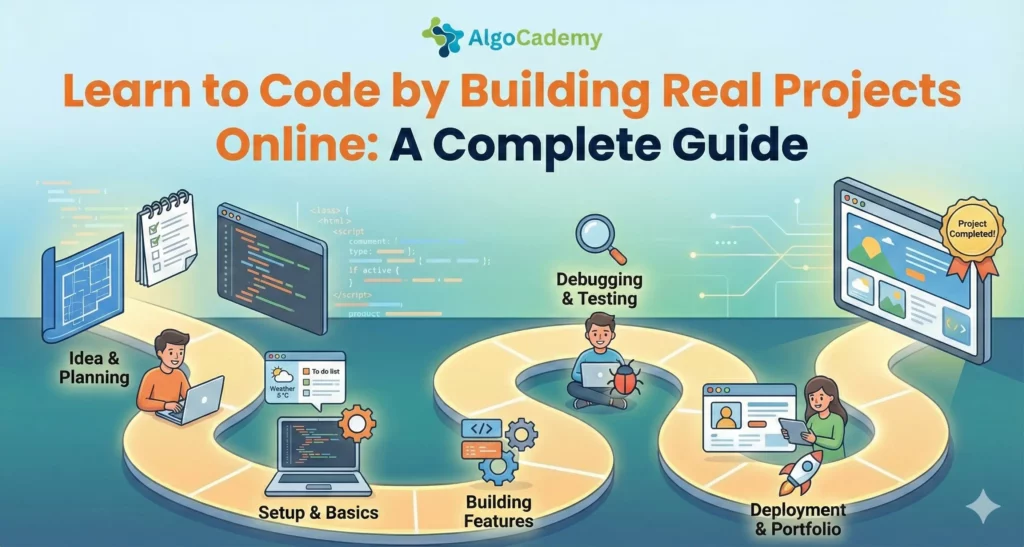
There’s a moment every aspiring developer hits. You’ve watched hours of tutorials. You can follow along when someone else is typing. You understand the concepts when they’re explained to you. But the second you close the tutorial and open a blank file, your mind goes blank too.
This is tutorial hell, and building real projects is the only way out.
Why Project-Based Learning Actually Works
The human brain isn’t designed to learn skills passively. We learn by doing, making mistakes, and figuring out how to fix them. Reading about how to ride a bike will never teach you to ride a bike. Coding is no different.
When you build a real project, you encounter problems the tutorial never mentioned. The API doesn’t return data in the format you expected. The CSS looks perfect on your screen but breaks on mobile. The feature you thought would take an hour takes a week. These frustrations are where actual learning happens.
Projects also give you context for the concepts you’re learning. Suddenly, you understand why functions exist because you needed to stop copying and pasting the same code everywhere. You grasp why databases matter because you needed somewhere to store user data. The abstract becomes concrete.
And perhaps most importantly, projects give you something to show for your efforts. After months of tutorials, you have nothing but a browser history. After one completed project, you have proof that you can build things.
Escaping Tutorial Hell
Before we get into platforms and project ideas, let’s talk about the trap that catches most beginners.
Tutorial hell happens when watching tutorials feels productive but you never actually build anything yourself. The tutorial makes everything look easy. The instructor has done this a hundred times and edited out all their mistakes. You follow along, the code works, and you feel like you’ve learned something.
Then you try to build something on your own and realize you can’t. So you find another tutorial. The cycle repeats.
Here’s the uncomfortable truth: tutorials are not learning. They’re preparation for learning. The learning happens when you struggle through building something without someone holding your hand.
The solution isn’t to abandon tutorials entirely. It’s to change how you use them. Watch a tutorial to understand a concept, then immediately try to build something (anything) using that concept without looking at the tutorial code. You’ll struggle. You’ll have to search for solutions. You’ll make mistakes. That’s the point.
Platforms for Project-Based Learning
AlgoCademy
AlgoCademy takes an interesting approach by combining structured lessons with hands-on problem solving. Rather than just showing you how to write code, the platform focuses on teaching you how to think like a programmer. You work through interactive challenges that build genuine problem-solving skills, with an AI tutor available when you get stuck.
What sets it apart is the emphasis on understanding why solutions work, not just memorizing patterns. This matters a lot when you start building your own projects because you’ll face problems nobody has written a tutorial for. You need to be able to reason through solutions yourself.
The Odin Project
The Odin Project is a free, open-source curriculum that’s entirely project-based. You’ll build dozens of projects as you work through their full-stack JavaScript or Ruby on Rails paths. The projects start simple (a basic recipe page) and gradually increase in complexity (a full social media clone).
What makes it effective is that they don’t hand you the answers. They point you to resources and documentation, then let you figure out how to build the project. It’s frustrating at first, but it teaches you the crucial skill of finding your own answers.
freeCodeCamp
freeCodeCamp structures its curriculum around certification projects. You learn concepts through small exercises, then prove your understanding by building required projects. Their Responsive Web Design certification, for example, culminates in building a tribute page, survey form, product landing page, technical documentation page, and personal portfolio.
The projects have specific requirements you must meet, which gives you guardrails while still requiring you to figure out implementation on your own.
Frontend Mentor
Frontend Mentor provides professional designs and challenges you to build them. You get the design files (Figma or Sketch) and build the frontend yourself. Challenges range from simple component builds to complex multi-page sites.
This is particularly valuable because it simulates real work. In professional settings, you’ll often receive designs from a designer and need to translate them into code. Frontend Mentor gives you practice with this workflow before you’re doing it for money.
They have a free tier with plenty of challenges, and a pro tier with more complex projects and design files.
JavaScript30
Wes Bos created JavaScript30 as a free 30-day challenge to build 30 things in 30 days with vanilla JavaScript. No frameworks, no libraries, no compilers. Just JavaScript.
The projects are fun and practical: a drum kit, a clock, a speech recognition app, a video player. Each is small enough to complete in a session but teaches real concepts you’ll use constantly.
It’s particularly good for JavaScript beginners who want to solidify fundamentals before jumping into React or other frameworks.
Codecademy Projects
Codecademy has shifted heavily toward project-based learning in recent years. Their Pro subscription includes guided projects and portfolio projects across various tracks. The guided projects walk you through the build process, while portfolio projects give you requirements and let you figure out the implementation.
Scrimba
Scrimba’s interactive format lets you pause the instructor’s video and edit their code directly. It’s like pair programming with your teacher. Their courses are built around projects, and the format makes it easy to experiment without leaving the learning environment.
Their frontend career path takes you through dozens of projects of increasing complexity.
Types of Projects by Skill Level
Complete Beginner Projects
When you’re just starting, you want projects small enough to finish but interesting enough to motivate you. Consider:
A personal homepage. Nothing fancy, just an HTML page about yourself with some CSS styling. It seems trivial, but getting something live on the internet for the first time is a significant milestone.
A calculator. It sounds boring, but implementing a calculator teaches you about handling user input, managing state, and dealing with edge cases (what happens when someone divides by zero?).
A quiz app. Store some questions and answers, display them one at a time, track the score, show results at the end. You’ll learn about data structures, DOM manipulation, and basic logic.
A to-do list. Yes, everyone builds one. That’s because it touches on fundamental concepts: creating items, reading and displaying them, updating their status, deleting them. The famous CRUD operations that underpin most applications.
A random quote generator. Fetch quotes from an API (or store them locally), display them nicely, add a button to get a new one. It’s a gentle introduction to working with external data.
Intermediate Projects
Once you’re comfortable with basics, it’s time to tackle more complexity:
A weather app. Fetch real data from a weather API, display current conditions, maybe add a five-day forecast. You’ll deal with API authentication, asynchronous code, and parsing JSON responses.
A blog with a CMS. Build a site where you can create, edit, and delete posts through an admin interface. This takes you into backend territory: databases, authentication, routing.
An e-commerce product page. Product images, variations (size, color), add to cart functionality, price calculation. The logic gets surprisingly complex once you start handling real requirements.
A chat application. Real-time communication teaches you about WebSockets, managing connected users, and handling messages. Lots of moving parts to coordinate.
A URL shortener. Take a long URL, generate a short code, redirect visitors who use the short link. You’ll work with databases, unique ID generation, and redirects.
Advanced Projects
When you’re ready to build portfolio pieces that impress:
A social media clone. User profiles, posts, comments, likes, following, feeds. It’s a massive undertaking that touches nearly every web development concept.
A project management tool. Think a simplified Trello or Asana. Drag and drop, multiple boards, task assignment, due dates, search and filtering.
A video streaming platform. Video upload, processing, storage, adaptive streaming, comments, recommendations. Complex infrastructure challenges.
A real-time collaborative editor. Like Google Docs: multiple users editing the same document simultaneously with changes syncing in real time. Operational transformation algorithms are fascinating and challenging.
An analytics dashboard. Ingest data, process it, visualize it with charts and graphs, allow filtering and date ranges. Data handling at scale.
Open Source: The Ultimate Project-Based Learning
Contributing to open source projects is project-based learning with real stakes. Real users depend on the code. Real maintainers will review your work. Real bugs need fixing.
Start with issues labeled “good first issue” or “beginner-friendly.” Many popular projects actively tag issues appropriate for newcomers. Sites like First Timers Only and Good First Issues aggregate these opportunities.
Your first contributions don’t need to be code. Documentation improvements, fixing typos, improving error messages, and writing tests are all valuable contributions that help you learn the codebase before tackling features.
The code review process alone is incredibly educational. Experienced developers will give you feedback on your code, explaining why certain approaches are preferred. It’s free mentorship.
Building a Portfolio That Gets You Hired
If your goal is landing a developer job, not all projects are equal in the eyes of hiring managers.
Avoid tutorial projects presented as original work. Hiring managers have seen the same Twitter clone tutorial project hundreds of times. If you build something from a tutorial, modify it significantly and add your own features.
Solve real problems. The most impressive portfolio projects address genuine needs. Did you build a tool to help your friend’s small business? An app that scratches your own itch? These demonstrate initiative beyond following tutorials.
Show range but also depth. A portfolio with one React app, one Vue app, one Angular app, and one Svelte app shows you can follow tutorials in multiple frameworks. A portfolio with three progressively complex React apps shows you actually understand React.
Deploy everything. A project only you can run locally isn’t impressive. Deploy your projects so anyone can see them working. Free hosting options like Vercel, Netlify, and Railway make this easy.
Write good READMEs. Your GitHub README is often the first thing people see. Explain what the project does, why you built it, what you learned, and how to run it. Include screenshots or a link to the live demo.
Document your process. Blog posts or video walkthroughs explaining how you built a project and what problems you solved are valuable additions. They demonstrate communication skills and show your thinking process.
How to Actually Finish Projects
The graveyard of unfinished side projects is vast. Here’s how to avoid adding to it:
Start embarrassingly small. Your first version should do almost nothing. Get that working, deployed, and in front of people. Then iterate.
Define “done” before you start. Write down the specific features that constitute a complete project. Without this, scope creep will kill you. You’ll keep adding “just one more feature” forever.
Time-box ruthlessly. Give yourself a deadline. A project that’s 80% complete and shipped is infinitely more valuable than a project that’s 95% complete and abandoned.
Build in public. Share your progress on Twitter, Dev.to, or wherever your community lives. The accountability helps, and you might get useful feedback along the way.
Embrace imperfection. Your first projects will be messy. Your code will be ugly. That’s fine. The goal is to finish and learn, not to create masterpieces.
One project at a time. Resist the urge to start something new when your current project gets hard. The hard parts are where you learn the most.
Finding Project Ideas
If you’re stuck on what to build, try these approaches:
Scratch your own itch. What small annoyance in your daily life could software solve? These projects have built-in motivation because you actually want the end result.
Clone something that exists. Rebuilding Twitter, Spotify, or Airbnb (simplified versions, obviously) teaches you how those apps work. You don’t need original ideas to learn.
Ask non-technical friends and family. They often have problems that could be solved with simple software. Bonus: they become your first users and give you feedback.
Browse GitHub for inspiration. Look at what others have built. Not to copy, but to spark ideas about what’s possible.
Check out project lists. Repositories like “app-ideas” and “project-based-learning” on GitHub have hundreds of categorized project suggestions at various difficulty levels.
Participate in hackathons. Time pressure forces you to scope small and actually ship. Many hackathons have themes that give you direction.
The Compound Effect of Building
Every project you complete makes the next one easier. You accumulate knowledge, code snippets, and problem-solving patterns you can reuse. The authentication system you figured out for project three becomes trivial to implement in project seven.
More importantly, you build confidence. You’ve shipped before. You’ve solved hard problems before. When you face a new challenge, you have evidence that you’re capable of figuring it out.
This is why building projects is non-negotiable for learning to code. There are no shortcuts. The tutorials can prepare you, the documentation can guide you, and the communities can support you. But nobody can do the building for you.
So pick a project. Something small. Something you might actually finish. Start today. You’ll learn more in one week of building than in a month of watching tutorials.
And when you get stuck (you will), remember that getting stuck and unstuck is the whole point. That’s not a bug in your learning process. It’s the feature.



