
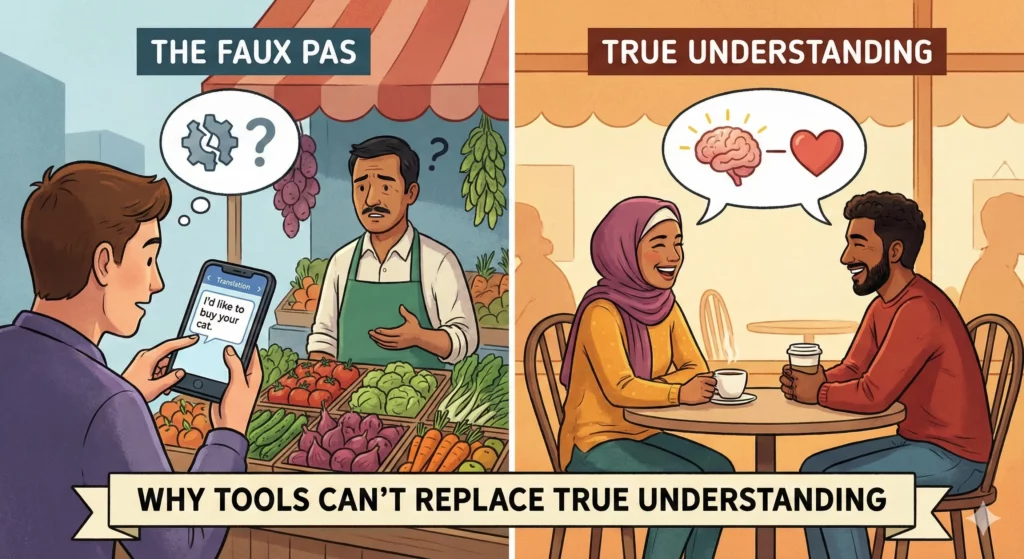
Picture this: You’re in a bustling restaurant in Barcelona, stomach growling, menu entirely in Spanish. You confidently pull out Google Translate, point your camera at the menu, and order what the app promises is “grilled chicken with vegetables.”
The waiter gives you a puzzled look but takes your order. Twenty minutes later, he arrives with your dish, and you realize with horror that you’ve just ordered “chicken with testicles” instead of “chicken with potatoes.” Turns out, “papas” (potatoes) and a certain anatomical term are close enough that Google Translate picked the wrong one based on context it couldn’t understand.
Your face turns red as the entire table erupts in laughter. The waiter, now understanding your mistake, kindly offers to bring you what you actually wanted. You learned an important lesson that day: tools are incredibly useful, but they’re no substitute for actually understanding the language.
The Illusion of Instant Fluency
Google Translate is amazing. It can help you navigate foreign countries, read signs, and get the gist of conversations. But it doesn’t understand context, cultural nuances, or grammatical subtleties. It’s a tool that works probabilistically, making educated guesses based on patterns it’s seen before.
The problem? When you rely entirely on the tool without learning the grammar, you:
- Don’t know when it’s wrong (like confusing papas with something else entirely)
- Can’t adapt when the situation changes (what if the menu item isn’t in the app’s database?)
- Miss the deeper meaning (idioms, humor, cultural references)
- Can’t think on your feet (when the waiter asks a follow-up question)
Using a translation tool without understanding the language is like trying to have a conversation through a possibly unreliable intermediary. Sometimes it works great. Sometimes it fails spectacularly.
The ChatGPT Parallel: When AI Becomes Your Crutch
Now, let’s talk about something closer to home for aspiring programmers: using ChatGPT to write all your code.
Just like Google Translate for languages, ChatGPT is an incredible tool for coding. It can:
- Generate boilerplate code quickly
- Suggest solutions to common problems
- Explain concepts in different ways
- Help debug when you’re stuck
But here’s the uncomfortable truth: if you rely on ChatGPT to write code without understanding programming fundamentals, you’re setting yourself up for the same kind of embarrassing “chicken testicles” moment – except in a coding interview or on the job.
Why You Need Programming Fluency
Consider what happens when you copy-paste ChatGPT’s solution without understanding it:
1. You Don’t Know When It’s Wrong
AI makes mistakes. It might:
- Use deprecated libraries
- Create security vulnerabilities
- Suggest inefficient algorithms
- Misunderstand your requirements
Without fluency in programming logic, you won’t spot these issues. You’ll submit code that looks right but breaks in production. Just like ordering the wrong food, but instead of mild embarrassment, you’re looking at production bugs or failed interview questions.
2. You Can’t Adapt to New Situations
In coding interviews, you can’t just paste the problem into ChatGPT. Interviewers often ask follow-up questions:
- “What’s the time complexity?”
- “How would you optimize this?”
- “What if the input size was 10 million instead of 100?”
If you don’t understand the underlying logic, you’re stuck. It’s like being in that Barcelona restaurant when the waiter asks, “Which vegetables would you like?” and you can’t answer because Google Translate isn’t there to help you form a response.
3. You Miss the Deeper Patterns
Programming isn’t just about syntax – it’s about problem-solving patterns:
- When to use recursion vs. iteration
- How to choose the right data structure
- Understanding trade-offs between time and space complexity
These patterns are like the grammar rules of a language. AI can help you apply them, but it can’t give you the intuition that comes from understanding why they work.
4. You Can’t Debug Effectively
The worst time to discover you don’t understand your code is when it breaks. Without understanding the logic:
- You can’t trace through the execution
- You can’t identify where the bug is
- You can’t fix it without going back to ChatGPT (which might give you a different solution that introduces new bugs)
It’s like being stuck in a foreign country when your phone dies. Suddenly, you realize you can’t even ask for directions.
The Right Way to Use AI Tools
Here’s the key: AI should be your assistant, not your replacement.
Think of it like this:
- A fluent Spanish speaker uses Google Translate to quickly check if “esdrújula” is the right term for a stress pattern. They know enough to validate the result.
- A non-Spanish speaker blindly trusts whatever Google Translate says, leading to our testicle incident.
The same goes for programming:
Good use of ChatGPT:
- “Can you help me remember the syntax for Python list comprehensions?”
- “Is this the most Pythonic way to filter a dictionary?”
- “Can you spot any obvious bugs in my binary search implementation?”
Problematic use of ChatGPT:
- “Write a function to solve this LeetCode problem” (then copying without understanding)
- “Debug this code” (without trying to understand what’s wrong)
- “How do I implement a linked list?” (without first learning what a linked list is)
Building True Fluency
Here’s how to develop real programming fluency while still benefiting from AI tools:
1. Learn the Fundamentals First
Master the basics before using AI as a crutch:
- Data structures (arrays, linked lists, trees, graphs)
- Algorithms (sorting, searching, traversal)
- Time and space complexity
- Problem-solving patterns
2. Code Without AI Sometimes
Set aside practice sessions where you solve problems without any AI assistance. This forces you to:
- Think through problems independently
- Develop your debugging skills
- Build mental models of how code executes
3. Verify AI-Generated Code
When you do use ChatGPT:
- Read every line of the generated code
- Trace through the logic manually
- Test it with different inputs
- Ask yourself: “Could I have written this myself?”
4. Use AI for Learning, Not Bypassing
Instead of “Write me a solution,” ask:
- “Can you explain how dynamic programming applies to this problem?”
- “Why is this approach more efficient?”
- “What are the edge cases I should consider?”
The Bottom Line
That embarrassing restaurant moment in Barcelona taught me something valuable: tools are fantastic accelerators, but terrible substitutes for genuine understanding.
You can use Google Translate to enhance your travel experience, but you should still learn basic phrases and grammar. Similarly, you can use ChatGPT to enhance your coding journey, but you must still learn programming fundamentals.
In a coding interview, on the job, or when debugging a critical issue at 3 AM, you’ll be glad you invested in true fluency rather than just tool dependency. Because when the chips are down and the AI isn’t available (or worse, is confidently wrong), you’ll need to rely on your own understanding.
Don’t order the metaphorical chicken testicles of the programming world. Learn the grammar, understand the logic, and use AI as the powerful assistant it’s meant to be – not as a crutch that prevents you from developing real skills.
Your future self (and your code reviewers) will thank you.
Want to build true programming fluency? Start with the fundamentals. Master data structures and algorithms with step-by-step interactive tutorials designed to build genuine understanding, not just surface-level familiarity.